Beetle Imaging Protocol Overview
This page introduces the imaging protocol and the general specimen-arrangement principles that apply across all scenarios—consistent orientation, centering specimens to minimize lens distortion, verifying sequential individual ID order, and marking each unit tray header label after capture. It then directs you to the appropriate protocol for your material: A & B trays, C trays, or the small beetle protocol for specimens on paper points. Once imaging and metadata processing are complete, run the data linkage checks to confirm specimens are correctly connected to their records.
Specimen Arrangement
- FIRST CHECK: If beetles are on paper points, use the Small Beetle Protocol.
- Position beetles with consistent orientation in the tray.
- Position specimens in center of frame to minimize lens distortion.
- Check that specimens are in sequential order based on individual ID #.
- **After imaging, mark the Upper right-hand corner of the unit tray header label**.
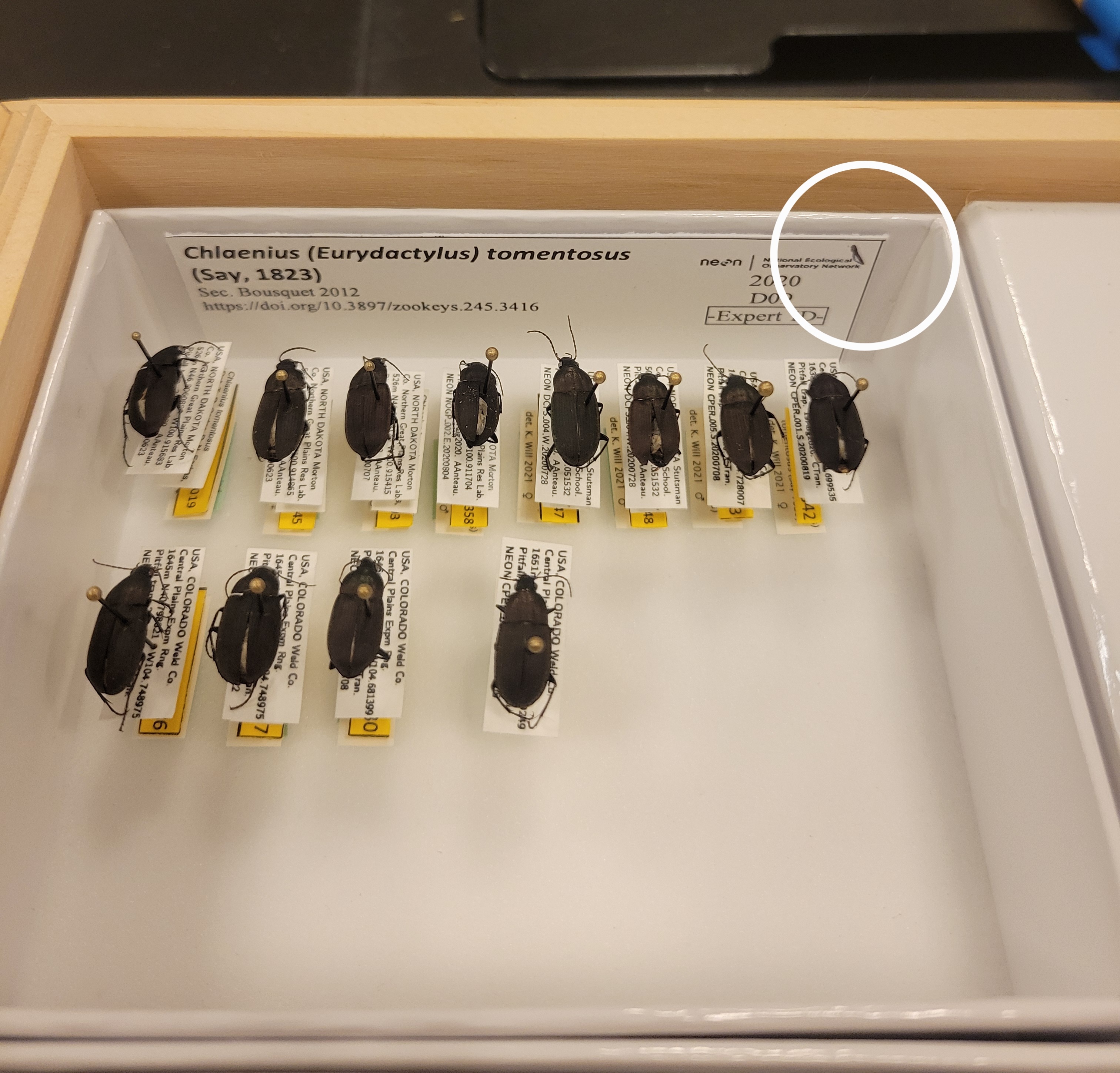
A or B Tray
The standard, default workflow: one unit tray photographed per image. Use this for directly-pinned specimens large enough to image at normal magnification. Each image captures a single tray with its own header label, and metadata is recorded one row per image in the standard BeetleMetadata sheet.
C Tray
Smaller C trays photographed two at a time in a single image to save time, each with its own header label. Both trays must hold similarly-sized species so all specimens stay within one focal plane. Because two trays share an image, metadata uses a dedicated C Tray template with paired Tray1_/Tray2_ columns. (Note the page's own caution that two-tray images can create more downstream work than they save; we now recommend using the A or B tray protocols here too.)
Small Beetle Protocol
For specimens mounted on paper points that are too small (less than 0.5 cm) to resolve at standard magnification. Requires a macro lens and a wider aperture (f/5.6) that deliberately blurs the underlying label text so each beetle can be cleanly segmented from the background. Uses B or C trays for staging, a scale bar in the lower-right, and a separate "SmallBeetles" metadata sheet.
Data Linkage Checks
After imaging and the metadata connection processing has been completed, manual quality checks should be run to ensure the specimens have been properly connected to their associated records.