Finer-CAM
Better explanation for classification decisions on similar species.
Learning Objectives
By the end of this tutorial, you will be able to:
- Understand how Finer-CAM highlights the parts of an organism image that are most useful for distinguishing one similar species from another.
- Use the provided tutorial or demo to generate visual explanation maps for a species image.
- Assess whether the highlighted regions match biologically meaningful traits provided by ecologists or field experts.
Prerequisites
- No local setup is required for the hands-on portion of this tutorial. We will provide a ready-to-use tutorial notebook so participants can focus on exploring the tool.
- Participants are welcome to bring organism images of interest. Familiarity with species labels and biologically relevant traits will be helpful.
- For those who would like to run the method locally after the workshop, installation instructions will also be provided.
Setup
- For the tutorial, participants may bring organism images of interest with species labels and upload them to Google Drive so they can be used in Colab. A training-test split is helpful.
- We will begin with datasets and models prepared by us so that attendees can immediately see what Finer-CAM produces and how it can be used in practice. After that, we will discuss how to adapt the method to their own data, including model training and local use. Participants who want to explore further can follow the instructions in the Finer-CAM repository.
Background
Finer-CAM is designed for explaining model decisions in situations where the species of interest look very similar. Standard explanation tools tend to highlight generic organism regions instead of the subtle trait that truly separates similar species. Finer-CAM identifies discriminative traits by asking directly, what makes the species different from a similar one.
Steps
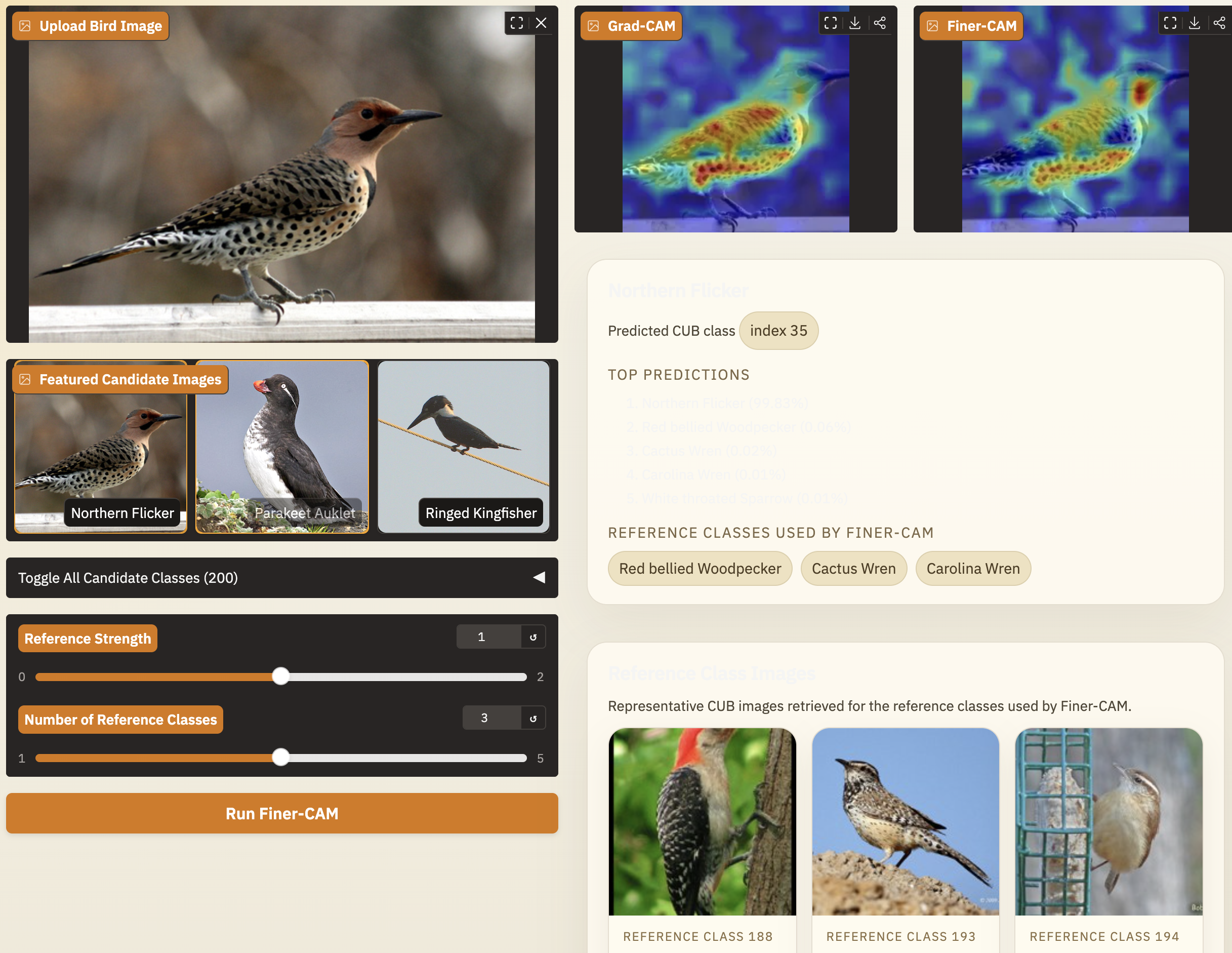
- Start with a provided Finer-CAM demo using a provided model and example dataset.
- Select an organism image to inspect. You will notice that the provided examples are from similar species and they rely on subtle details to be told apart.
- Run both Finer-CAM and Grad-CAM through the provided notebook to generate visual explanation maps.
- Inspect the highlighted regions and ask whether they align with known field traits, such as wing color, markings, shape, or other subtle morphology. Compare the regions generated by Finer-CAM and Grad-CAM and check whether the results of Finer-CAM reflect more discriminative traits.
- Review quantitative evaluation results to understand how the method is assessed beyond visual inspection.
- After seeing the provided workflow, learn what is needed to apply Finer-CAM to new datasets, including preparing labeled images and training a classifier:

- Finally, explore extensions of Finer-CAM, including how it can be used to extract traits with natural language.
Summary
Finer-CAM is a visual explanation tool for fine-grained recognition. It helps reveal which visible traits a model is using to separate similar species. The workflow is lightweight and straightforward. Once there is a model, Finer-CAM will be a low-latency tool to interpret and check whether the model's reasoning matches biological intuition.