Demo How-tos
Classification Demos
Our classification demos are hosted on Hugging Face Spaces and powered by Gradio, making them easy to use directly in your browser without any installation.
- Upload an image – Drag and drop or click to upload any image of an organism.
- Choose classification mode – Select zero-shot (with custom labels) or open-ended (taxonomic hierarchy) classification.
- View predictions – See the model's predictions with confidence scores across taxonomic ranks.
- Compare to predicted taxon - In open-ended classification, compare your image to a random sample image of the predicted taxon from the training data. Follow the provided source link to learn more about it.
For programmatic access or batch processing, check out pybioclip.
BioCLIP 2 Demo BioCLIP Demo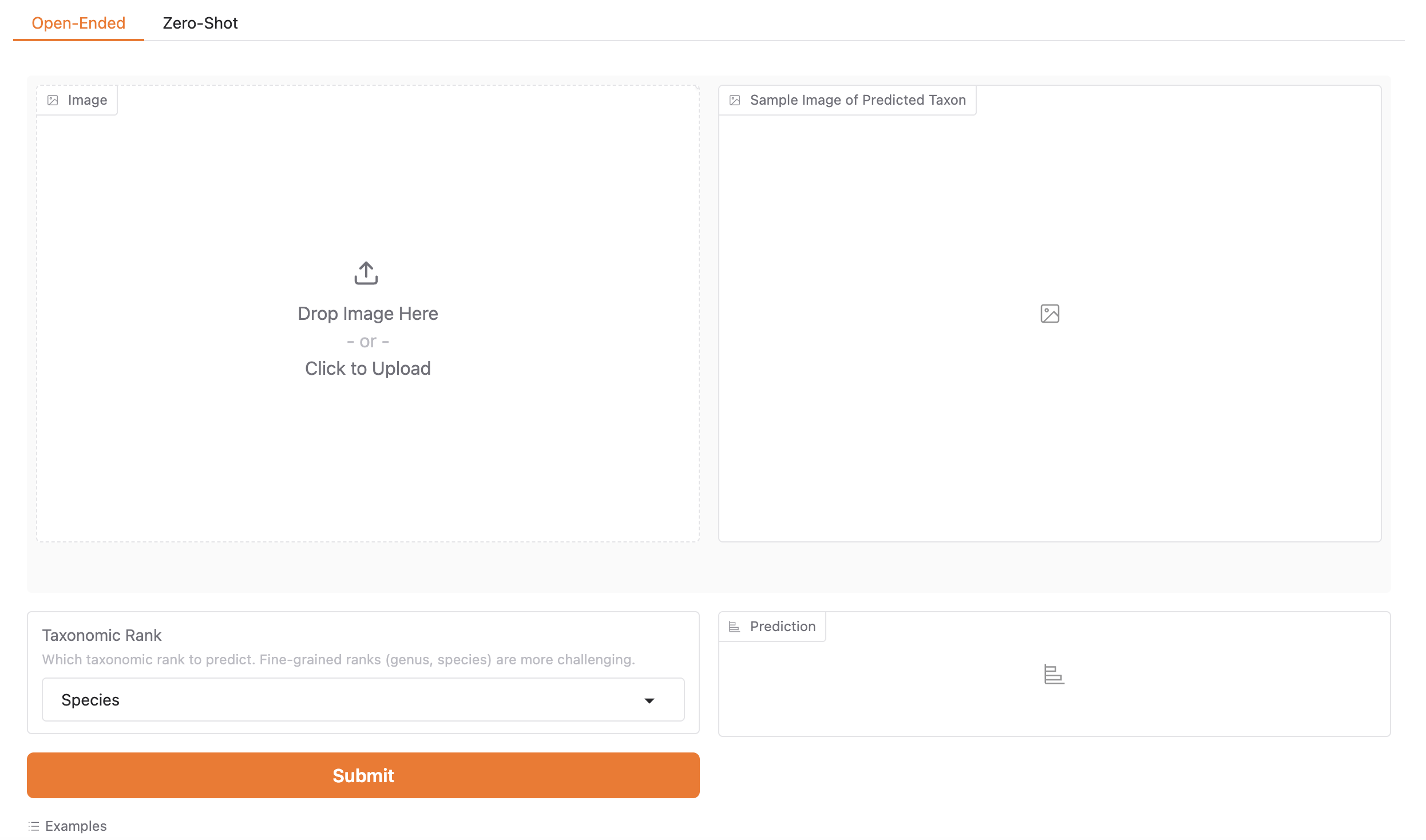
Image Search Lite
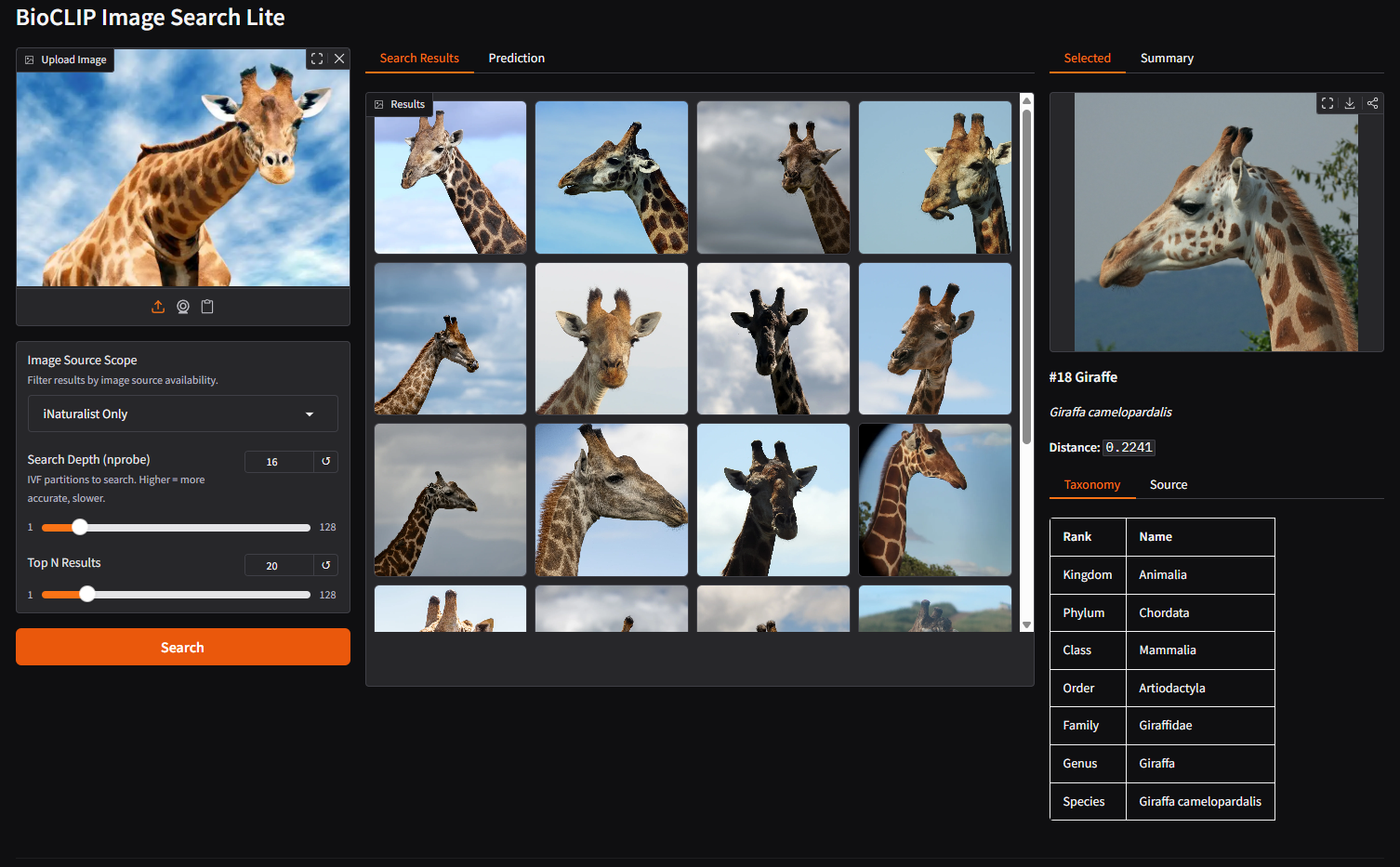
BioCLIP Image Search Lite uses BioCLIP 2 embeddings to find visually similar images from TreeOfLife-200M. Images are fetched on-demand from their original source URLs (iNaturalist, EOL, BIOSCAN-5M, FathomNet, etc.).
- Upload an image – Drag and drop or click to upload any image of an organism.
- Choose image source scope – Filter results by availability: All Sources, URL-Available Only, or iNaturalist Only.
- Adjust search parameters – Tune Search Depth (nprobe) for accuracy and Top N Results for how many matches to return.
- Browse search results – View a grid of visually similar images ranked by BioCLIP 2 embedding distance. Click any result to see its full-resolution image, taxonomy, and source information.
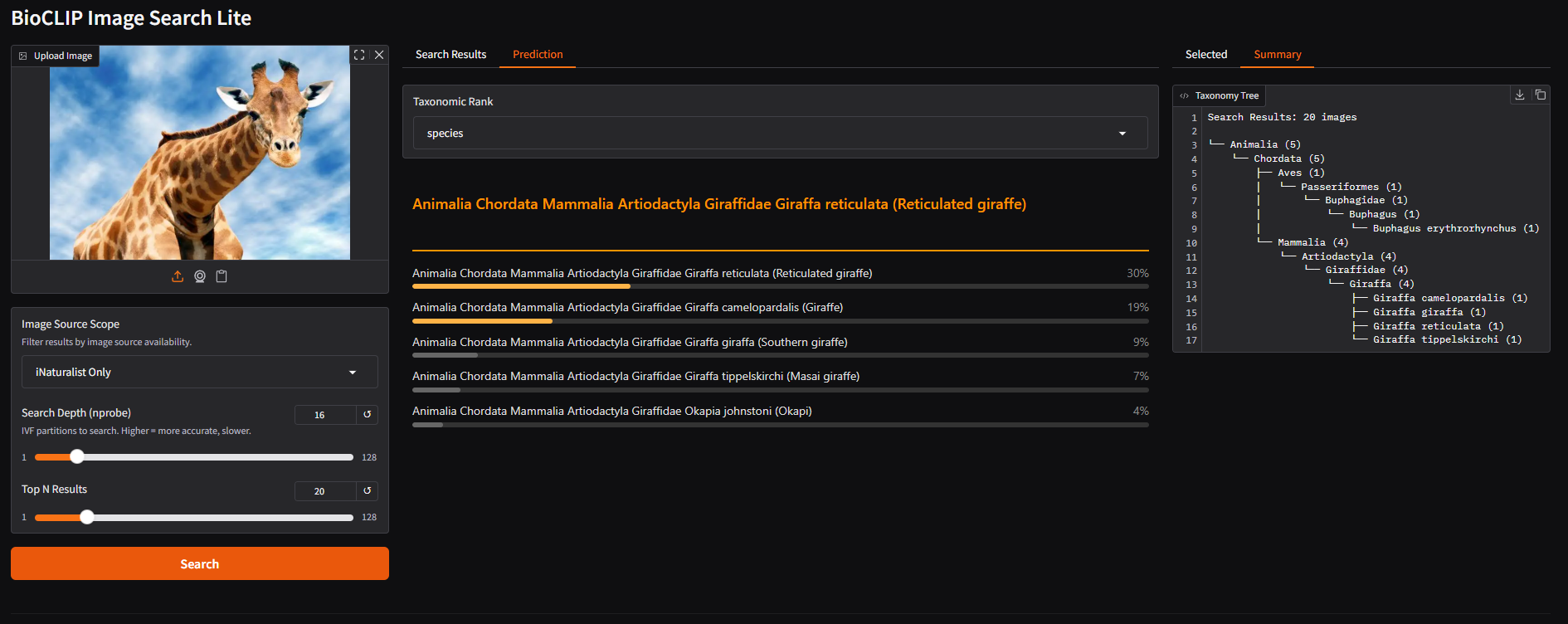
- View predictions – Switch to the Prediction tab to see BioCLIP 2's species-level predictions with confidence bars at different taxonomic ranks.
- Explore the taxonomy tree – Switch to the Summary tab to view a taxonomy tree summarizing the taxonomic distribution of your search results.